Time And Attendance: A Complete Guide For Modern Workforces

Managing employee hours the old way - spreadsheets, paper registers, and disconnected payroll systems - creates problems that add up fast. Errors in recorded hours lead to payroll mistakes, compliance risks, and wasted time for HR teams who have to fix it manually. Research from the American Payroll Association suggests manual time tracking can inflate payroll costs by 1 to 8 percent due to calculation errors and time theft alone.

Modern businesses need something better. In this post, we will learn:
What time and attendance systems are
How time and attendance hardware supports workforce tracking
Benefits of cloud based time and attendance systems
How attendance systems improve payroll accuracy
Best practices for workforce attendance management
What businesses should consider before choosing an attendance solution
What Is Time And Attendance?
Time and attendance refers to the process of tracking when employees start work, finish, take breaks, and manage leave - and using that data to calculate accurate payroll. A complete system does more than log clock-ins. It applies shift rules, handles overtime calculations, manages leave balances, and sends clean data directly into payroll.
Instead of HR teams manually cross-referencing multiple sources, one integrated system handles the full flow - from when an employee punches in to when payroll is processed. Chronicle Online is built around exactly this: making the entire process accurate, accessible, and easy to manage across multiple locations.
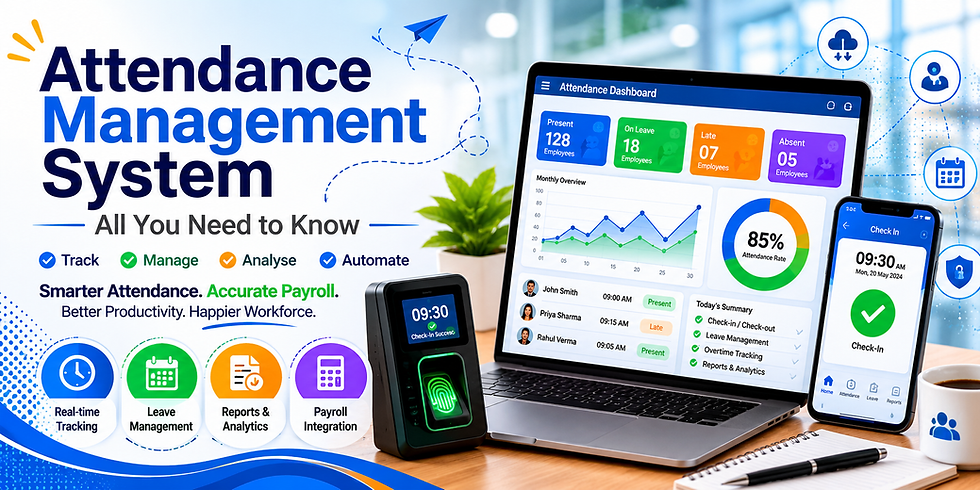
Key Features Of Time And Attendance Hardware And Software
A well-built system combines physical time and attendance hardware with smart software to give a complete picture of workforce activity.
Clock-In Methods
Biometric terminals, PIN-based kiosks, QR codes, and card readers
Mobile apps with GPS verification for remote and field staff
Browser-based clock-ins for desk-based employees
Automated Timesheets
Real-time recording of hours, breaks, and overtime
Automatic application of shift rules and grace periods
Payroll Integration
Rule-based overtime and allowance calculations
Export formats compatible with major payroll platforms
Leave And Scheduling
Built-in leave management linked to attendance records
Shift templates and roster management for varying team structures
Business Benefits Of Cloud Based Time And Attendance Systems
Moving to cloud based time and attendance systems delivers advantages that go well beyond saving time on admin.
1. Higher Payroll Accuracy
When hours flow automatically from a time tracking system into payroll, the margin for error drops significantly. Industry data shows businesses can cut payroll processing time by up to 50 percent when switching from manual timesheets to automated systems. Paying employees correctly the first time eliminates costly corrections.
2. Reduced Time Theft And Buddy Punching
Biometric terminals and GPS-verified mobile clock-ins make it much harder for employees to clock in for each other. Rounding errors on manual registers - which seem minor - can add up to several percentage points of payroll over time. Removing that opportunity saves real money.

3. Access From Anywhere
Cloud-based systems let managers review attendance data, approve timesheets, and track leave in real time from any device. For businesses with multiple sites or remote teams, this kind of visibility makes day-to-day management significantly easier.
How Time And Attendance Systems Work
Most modern systems follow the same basic flow regardless of platform:
Employees clock in and out using a biometric device, mobile app, or web portal
The system builds timesheets automatically by applying your attendance policies - shift rules, late marks, overtime thresholds
Leave and scheduling data is mapped so only payable hours are counted
Payroll calculations run based on predefined rules for each employee group
Payroll-ready data is exported to your payroll platform or finance team
This end-to-end automation is what separates a proper solution from a basic hour-logging tool.
Checklist For Choosing The Right System
Before comparing vendors, be clear on your own requirements:
Workforce type - office staff, field teams, shift workers, or contractors?
Clock-in methods - biometric hardware, mobile GPS, or browser-based?
Payroll integration - does it connect with your existing payroll software?
Compliance needs - can it handle your overtime rules and working hour regulations?
Scalability - will it work as your headcount grows or locations expand?
Best Practices To Get The Most Out Of Your System
Standardize your policies first. Clarify overtime rules, leave types, and shift definitions before automating. Inconsistent rules create faster confusion, not less.
Clean your employee data. Ensure names, departments, and pay structures are accurate before going live.
Start with a pilot. Roll out to one team first, fix configuration gaps, then expand.
Train your managers. Approving timesheets on time and handling exceptions correctly keeps the whole system running smoothly.
Audit regularly. Watch for overtime spikes or repeated manual overrides that suggest the system is being worked around.
Final Thoughts
Modern workforce management requires more than spreadsheets and manual attendance registers. Businesses need systems that improve workforce visibility, reduce payroll mistakes, and simplify attendance management across different locations and employee groups.

Using reliable attendance solutions helps organisations improve operational efficiency while reducing unnecessary administration work. Businesses investing in modern workforce tracking platforms and reliable attendance devices can manage employee records more accurately while supporting smoother payroll preparation and better daily operations.
As businesses continue adopting flexible work environments and remote operations, attendance management systems will remain important for maintaining productivity, accountability, and operational control. Businesses looking to improve workforce management and attendance visibility can explore practical solutions available through Chronicle Online.
Frequently Asked Questions
1. What is the difference between basic time tracking and a full time and attendance system?
Basic time tracking tools log hours but require manual exports and spreadsheet calculations. A full time and attendance system automates everything - from clock-in to payroll-ready output - with built-in rules for overtime, leave, and shift management.
2. What types of time and attendance hardware are available?
Common options include biometric fingerprint and facial recognition terminals, card or PIN-based kiosks, QR code scanners, and GPS - enabled mobile devices. The right choice depends on your workforce - office teams have different needs than field or site workers.
3. Are cloud based time and attendance systems right for small businesses?
Yes. Cloud based time and attendance systems require less upfront investment than on-premise alternatives, can be accessed from anywhere, and scale as the business grows without needing dedicated IT infrastructure.
4. How long does setup typically take?
For most businesses, a straightforward setup takes a few days to a few weeks depending on the number of locations, complexity of shift rules, and how clean existing employee data is. Starting with a pilot group and rolling out in phases helps avoid disruption.


Comments